If you already use an agent such as Codex or Claude Code and want it to help with everyday website tasks, I recommend trying Tencent’s open-source BrowserSkill.
It connects to the browser you already use, keeps your existing login state and extensions available, and gives the agent a separate working window. You can start a website task without first signing in again in another browser environment.
I recently tested it with Codex. Chinese text input, completing a todo, and taking a screenshot all worked. GitHub opened with the existing login, and borrowing and returning a normal webpage also passed. That was enough for me to add it to my everyday toolkit.
Start with the browser environment you already have
Many browser tasks involve preparation before the useful work begins. A website works in your regular browser, but the agent’s fresh window still needs account access, two-factor authentication, and browser settings.
BrowserSkill connects to an existing Chrome or Edge instance through an extension. The agent uses the signed-in state in that browser profile, along with the functionality provided by existing extensions. For sites you already use, this can remove a substantial setup step.
Tasks normally run in a separate Agent Window. When the agent needs the page you are already viewing, it can borrow that tab and return it afterward. You can watch its progress, and the tool provides a way to request human help when a step requires your involvement.
The working area is separate, while account state is shared. Actions on a website can still affect your account. Payments, publishing, and deletion therefore still need a clearly defined task scope.
Connect it to the agent you already use
BrowserSkill provides the bsk command-line tool and a companion skill. An agent with shell access can use them to read pages, fill forms, and click controls. The project lists Codex, Claude Code, and Cursor among its supported clients, so browser tasks can stay with your existing assistant.
The basic flow is straightforward.
Agent → bsk command → local service → browser extension → webpage
The agent reads page text and controls, obtains references to elements such as buttons and input fields, and then acts. After a meaningful page change, it reads the result again. Screenshots support tasks that depend on layout, images, or other visual details.
The official CLI supports macOS, Linux, and Windows, with browser support for Chrome and Microsoft Edge. Setup connects the CLI, companion skill, and browser extension. Follow the official installation guide, check connectivity with bsk doctor, and run a small task before treating the setup as ready. CLI and extension versions need to be compatible too.
A small test with visible results
I tested BrowserSkill 0.3.0, starting with the TodoMVC demo.
Codex entered “BrowserSkill 中文输入实测,” pressed Enter to add the task, and clicked its checkbox. Reading the page back confirmed that the item was complete and the remaining count was zero. It then cleared the test item it had created.
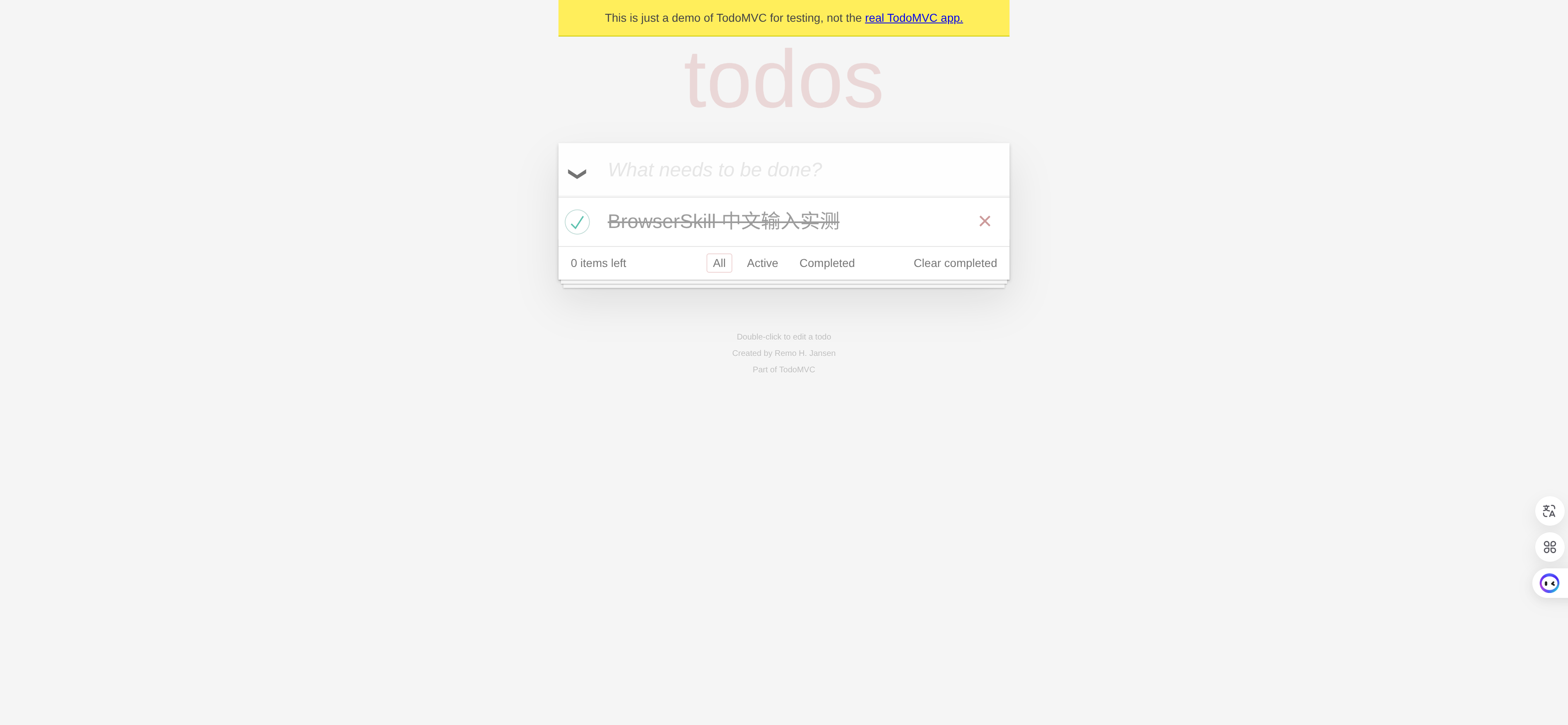
This screenshot comes from the test. The entered Chinese text and completed state are both visible.
Next, the Agent Window opened a public GitHub repository with the existing signed-in interface. No new login was required, and existing page extensions were active. That showed the benefit most directly: the agent could continue working in an environment already prepared for daily use.
I also checked whether background work interrupted the current window. In a separate verification run, we read the system’s active window before and after opening the Agent Window, navigating, observing the page, taking a screenshot, and ending the session. Focus stayed on Codex throughout. A normal test webpage was also borrowed after confirmation and returned to its original window and position.
This was a basic functional test. It did not cover complex editors, uploads and downloads, or parallel tasks, and it was not a controlled speed comparison with other tools. These small tasks ran smoothly; they do not establish that every website can be handled unattended.
When I would use it
I would reach for BrowserSkill when a task benefits from an existing login, such as reading a page available only to signed-in users or filling a form for a person to review before submission. Letting a familiar agent use the everyday browser is its strongest reason to try it.
For independent browser testing or repeated execution of a fixed flow, Playwright and agent-browser remain useful options. They also offer ways to reuse sessions. BrowserSkill is particularly worth considering when its Agent Window and explicit tab handoff fit the way you want to work.
Start with something small. Open a page, read its contents, and perform an easily reversible action. Once login reuse, input, and result verification work, try a longer workflow.
For people who already use an AI agent and regularly work with signed-in websites, BrowserSkill is worth a try. I plan to use it for everyday webpage tasks and see which parts still need a human handoff.